Backdrop updates
So steht es in der Doku
https://docs.backdropcms.org/documentation/core-updates
Updating Core Code via the Adminstrative Interface
To update the core code using the System Updater in the administrative area of the website, you will have to have the Project Installer module enabled on your site:
- Navigate to /admin/modules/list (Functionality > List modules) and look for the Project Installer module; if it is not checked, check its box and then click "Save Configuration." If it is already checked, proceed.
- Navigate to the System Updates page. This can be accessed in a few different ways:
- Go from the list of Available updates at /admin/reports/updates/list following the "Install system updates" link at the top.
- Navigate directly to the page using the URL (admin/config/system/updates) or the Admin menu (Configuration > System > System updates)
- Follow the link in the Status report under Backdrop CMS update status.
- If the "Install system updates" link is missing, you should check permissions for the Project Installer module.
- Select "Backdrop" to update core, click "Download Selected Updates" and the updater will download the new version and take you to the "Ready to update" page.
- If you haven't already put the site into maintenance mode you should check the box to put it into maintenance mode for this next step.
- Click 'Continue' and the update will be applied.
- There will be a link to "Run site updates"; follow that link. You can also access that page by going to core/update.php (e.g. https://example.com/core/update.php).
Dass das nicht alles so stimmt, ist schon aufgefallen, siehe https://forum.backdropcms.org/forum/update-manager-anything-other-ftp
Nun zur System updates page
Hier sind core und Module aufgelistert, die aktualisiert werden sollten. Da steht aber auch direkt:
"Updating modules, themes, and layouts requires FTP access to your server" und der Link zum Handbuch ist nicht hilfreich, der sollte auf https://docs.backdropcms.org/documentation/core-updates verweisen
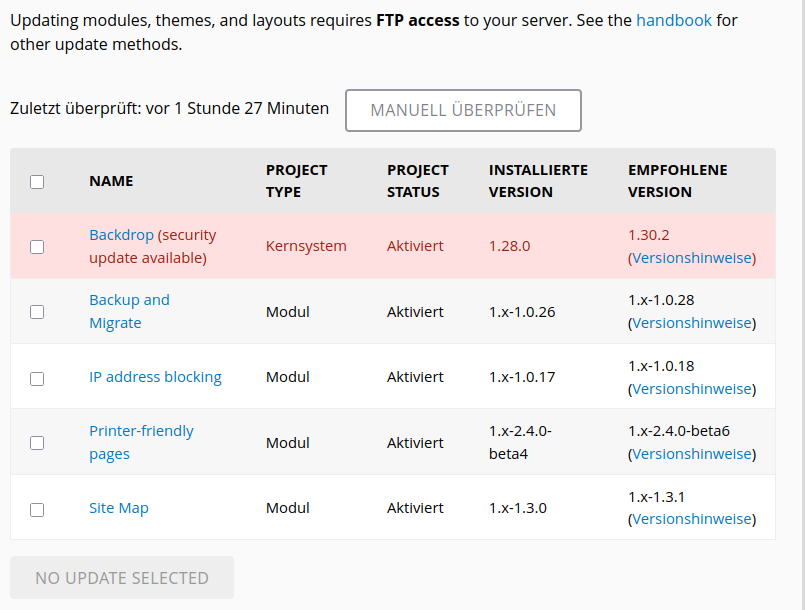
Weiter gehts: ich markiere alle angezeigten Aktualisierungen und klicke auf den nun blauen Button DOWNLOAD ALL UPDATES. Das wird dann auch ausgeführt, die Aktualisierungen werden heruntergeladen. Im temporären Verzeichnis gibt es die beiden Verzeichnisse:
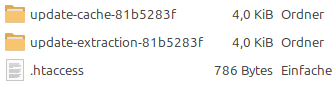
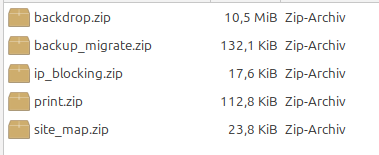
Im Verzeichnis update-cache... sind die heruntergeladenen Archivdateien:

Im Verzeichnis update-extraction... sind die entpackten Verzeichnisse.


Weiter gehts: Die Dateien sind heruntergeladen und entpackt. Ich bin auf der Seite .../admin/update/ready und da steht ebenso:
"Updating modules, themes, and layouts requires FTP access to your server."
Das verstehe ich nicht, denn die Archive sind bereits heruntergeladen und kein FTP mehr nötig.
Trotzdem - ich klicke auf WEITER und dann will Backdrop CMS meine FTP-Daten haben. Die in der Dokumentation beschriebenen Punkte 5 und 6 finden nicht statt, die updates werden nicht angewendet und es gibt auch keinen Link zu update.php, sondern:

Lokal habe ich kein FTP aber auch online bekomme ich die Meldung, dass der Server die Verbindung verweigert.
Weiter geht's: Da die Aktualisierungen bereits heruntergeladen sind, hole ich sie aus dem update-extraction-Verzeichnis und überschreibe damit die Verzeichnisse in der Distribution. Also: ich überschreibe das Verzeichnis /core der Installation mit dem Verzeichnis /core aus der heruntergeladenen Distribution und schiebe die heruntergeladenen Module in das Verzeichnis /modules.
Dann rufe ich update.php auf
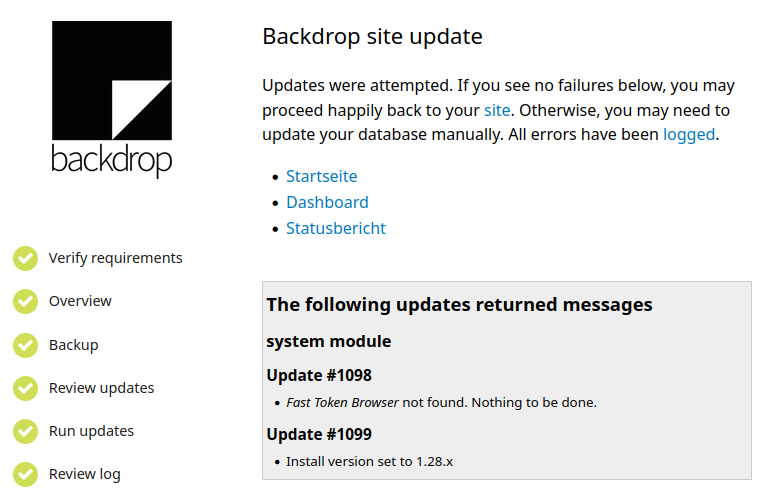

Das ist bestimmt nicht die empfohlene oder bevorzugte Update-Methode und es bleiben Fragen: werden die heruntergeladenen Archive und die entpackten Verzeichnisse aus den cache-Verrzeichnissen wieder gelöscht? Gibt es so eine Art garbage-collection, die nicht mehr benötigten Dateien löscht?